Stock runs out without anyone noticing.
Every sale reduces stock, every adjustment is recorded with a reason, and products down to 5 or fewer are marked straight away.
Pharmacies & drugstores
Find over-the-counter medicines, vitamins and health supplies by name or code, see stock per outlet, and know what is running low. Bizkita POS is a point of sale — not a pharmacy management system — so this page lists its limits too.
Apotek Sehat Bersama's till — a fictional business in the demo.
Everyday problems
For the till and stock — never a replacement for the pharmacist.
Every sale reduces stock, every adjustment is recorded with a reason, and products down to 5 or fewer are marked straight away.
Enter the cost price to see an estimated margin per product, and gross profit across all sales in Reports.
Find products by name or by typing the barcode/SKU, then take cash, QRIS with the amount filled in, or debit and credit from the EDC terminal.
Each cashier works in a shift with a float, cash in and out is recorded with a reason, and the shift closes with a blind cash count.
The features you use
For selling at the counter and keeping stock. Features that need a particular plan are marked.
Stock goes down with each sale, adjustments are recorded with a reason, and every stock movement is kept. Choose per product whether it may still sell at zero stock.
Set the tax rate per outlet, including prices that already include tax. The rate in force is locked onto every sale.
Revenue, gross profit from cost prices, payment methods and best sellers for any date range you choose.
Bring your product list over from a spreadsheet with a preview before saving, and export to Excel at any time.
Standard plan and up
Recognise regulars by phone number, give points on spend, and discounts such as one for seniors.
Standard plan and up
Owners, Admins, Staff and Cashiers only see the menus and outlets they are allowed. Only the owner can change tax rates.
Interactive demo
A fictional pharmacy selling only over-the-counter medicines, vitamins and health supplies under generic names. Open Produk › Inventaris to see low stock, then sell a few items.
Every business, customer and sale in this demo is fictional. The QRIS code is built from a sample sticker and deliberately covered so it cannot be scanned or paid. The demo runs entirely in your browser — nothing is sent anywhere.
How it runs
Import products from CSV or add them one by one, with barcode/SKU, category, price and cost price.
The cashier opens a shift with a cash float before serving customers.
Find the product, check the quantity, then take payment. Stock goes down and the receipt prints.
See what is running low and its latest stock movements, then check gross profit in Reports.
Before you choose
Bizkita POS is not designed as a pharmacy management system. This is what version 1.0 does not do — make sure medicines are still sold under the rules that apply and the supervision of the responsible pharmacist:
FAQ
No. Bizkita POS handles counter sales, cash, stock, customers and sales reports. Prescriptions, expiry dates, drug classes and regulatory reporting are not there, so a pharmacy that needs them needs another system for that part.
Not in version 1.0. Stock is kept per product per outlet, without expiry dates or batch numbers.
Save the spreadsheet as CSV, then import products in Kelola Toko › Impor. You choose how to handle products that already exist and see a preview before saving. Import starts at the Standard plan.
Yes, as two products with their own unit and stock. Automatic conversion from boxes to strips is not available.
Cash, QRIS from your outlet’s sticker with the amount filled in, and debit, credit and e-wallets recorded by brand. One bill can also be split into cash and QRIS.
Sales, shifts, cash, stock and customer records are saved on the device first and sent automatically every 15 minutes, after each sale and as soon as the connection returns. What still needs internet: the first sign-in on a new device, the Reports dashboard and saving some settings.
Get started
The Free plan works for one outlet straight away. If you want help choosing a plan or hardware, our team in Bandung answers on WhatsApp.
For other businesses
 Barbershop POS appBarber commission, services without stock, points per visit
 Laundry POS appPer-kilo and per-piece prices, customers by phone number
 Retail POS appStock & stock card, cost prices, product import from CSV
 Spa & reflexology POS appTherapist commission, treatment menus, members & points
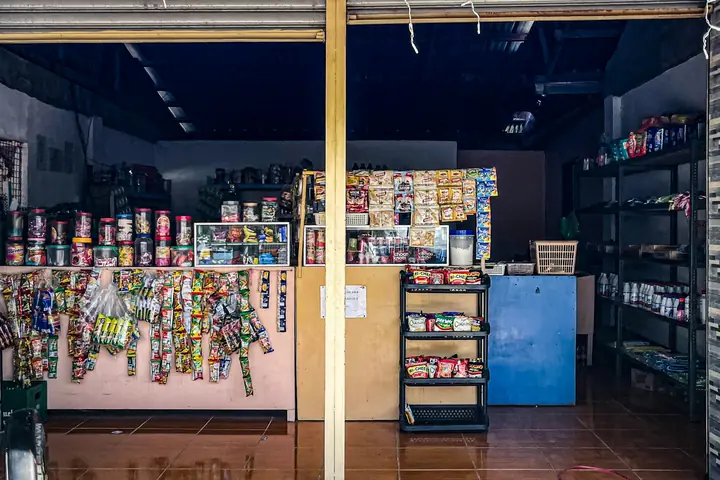
Illustrative photos from Unsplash by freestocks, Ula Kuźma and Melany @ tuinfosalud.com.